

Unlocked Phones for Seniors: Your Guide to Freedom and Flexibility
Choosing a new phone can feel overwhelming, especially with confusing contracts and expensive plans. This guide simplifies the process by focusing on the best unlocked phones for seniors, giving you the freedom to choose your own carrier and find a plan that fits your budget and needs. An unlocked phone isn't tied to a specific provider like AT&T, Verizon, or T-Mobile. This means you can switch carriers anytime to take advantage of better deals or coverage without having to buy a new device. It’s a straightforward way to save money and maintain control over your mobile service.
This roundup is designed to help you find the perfect match, whether you need a simple device for calls and texts or a more powerful smartphone for video chats, photos, and apps. We'll explore options that prioritize:
- Ease of Use: Featuring large icons, intuitive interfaces, and simplified menus.
- Key Features: Including hearing aid compatibility, emergency response buttons, and excellent cameras.
- Affordability: Showcasing models that offer great value without a hefty price tag.
We will review specific models like the Jitterbug Smart3, designed exclusively for seniors, and mainstream options like the Apple iPhone SE, which offers powerful features in a user-friendly package. While our focus is on purchasing, it's also helpful to know about broader consumer electronics rental and leasing options available for various gadgets. Let’s dive into the top unlocked phones that combine modern technology with senior-friendly design.
1. GrandPad Tablet
While not a traditional phone, the GrandPad Tablet earns its top spot by redefining simplicity and connectivity for seniors. It's a purpose-built Android tablet with a unique, locked-down interface designed to eliminate the complexity and confusion often associated with modern technology. Instead of a standard home screen filled with countless apps, the GrandPad presents large, clearly labeled buttons for essential functions like calling, video chatting, viewing photos, and checking email. This makes it one of the most accessible unlocked phones for seniors, as its built-in 4G LTE connectivity comes with the subscription, freeing users from finding a separate carrier.
The device is managed remotely by a designated family administrator via a companion app or web portal. This trusted person can add contacts, upload photos, and manage settings, ensuring the senior user has a safe and curated experience without needing to navigate complex menus. This feature proved invaluable for families staying connected with grandparents during the COVID-19 pandemic and is now widely used in assisted living facilities to facilitate resident communication and telehealth appointments.
Why It Works for Seniors
The GrandPad's all-inclusive subscription model is a key benefit. It covers the device, unlimited data, ad-free music streaming, various games, and premium customer support. This straightforward approach removes the hassle of choosing data plans or dealing with unexpected overage charges. The support team is available 24/7 and is trained specifically to assist seniors with patience and understanding, even helping with initial setup and training.
To get the most out of it, family members should set up the primary contacts and upload a starting collection of family photos before giving the device to their loved one. This immediately personalizes the experience and encourages engagement.
Here's a quick reference summarizing the GrandPad Tablet's core specifications.
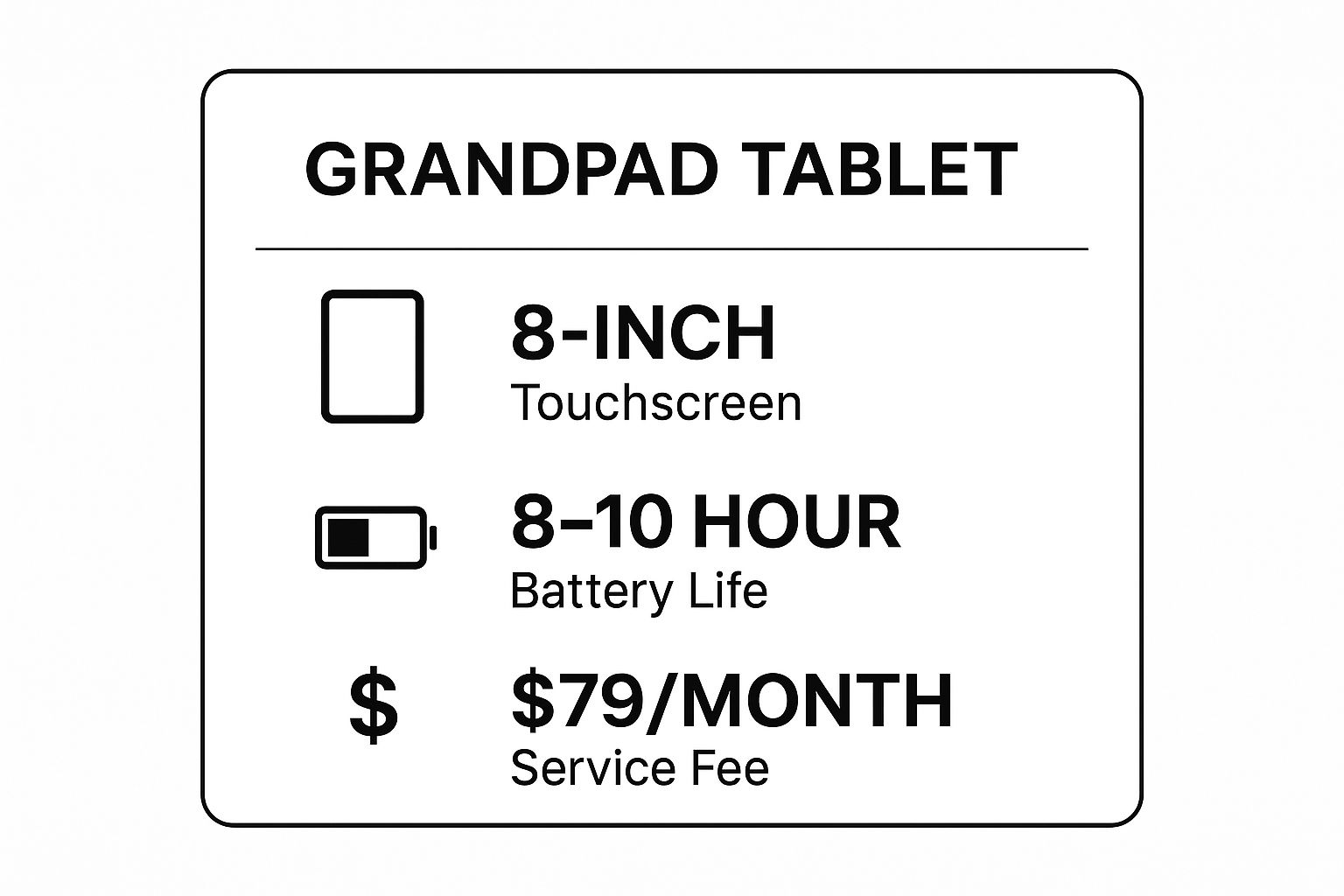
These specs highlight a device built for ease of use, with a large screen for visibility and a long battery life that minimizes the need for frequent charging.
2. Jitterbug Smart3
The Jitterbug Smart3, from Lively, strikes a perfect balance between a traditional smartphone and a senior-focused device. It runs on a simplified version of Android, presenting apps and functions as a single, scrollable list with large icons and legible text. This design eliminates the often confusing home screens and app drawers of standard smartphones. As one of the most popular unlocked phones for seniors, the Smart3 operates on the Verizon network, giving users excellent coverage while allowing them the flexibility of an unlocked device paired with Lively's specific health and safety plans.
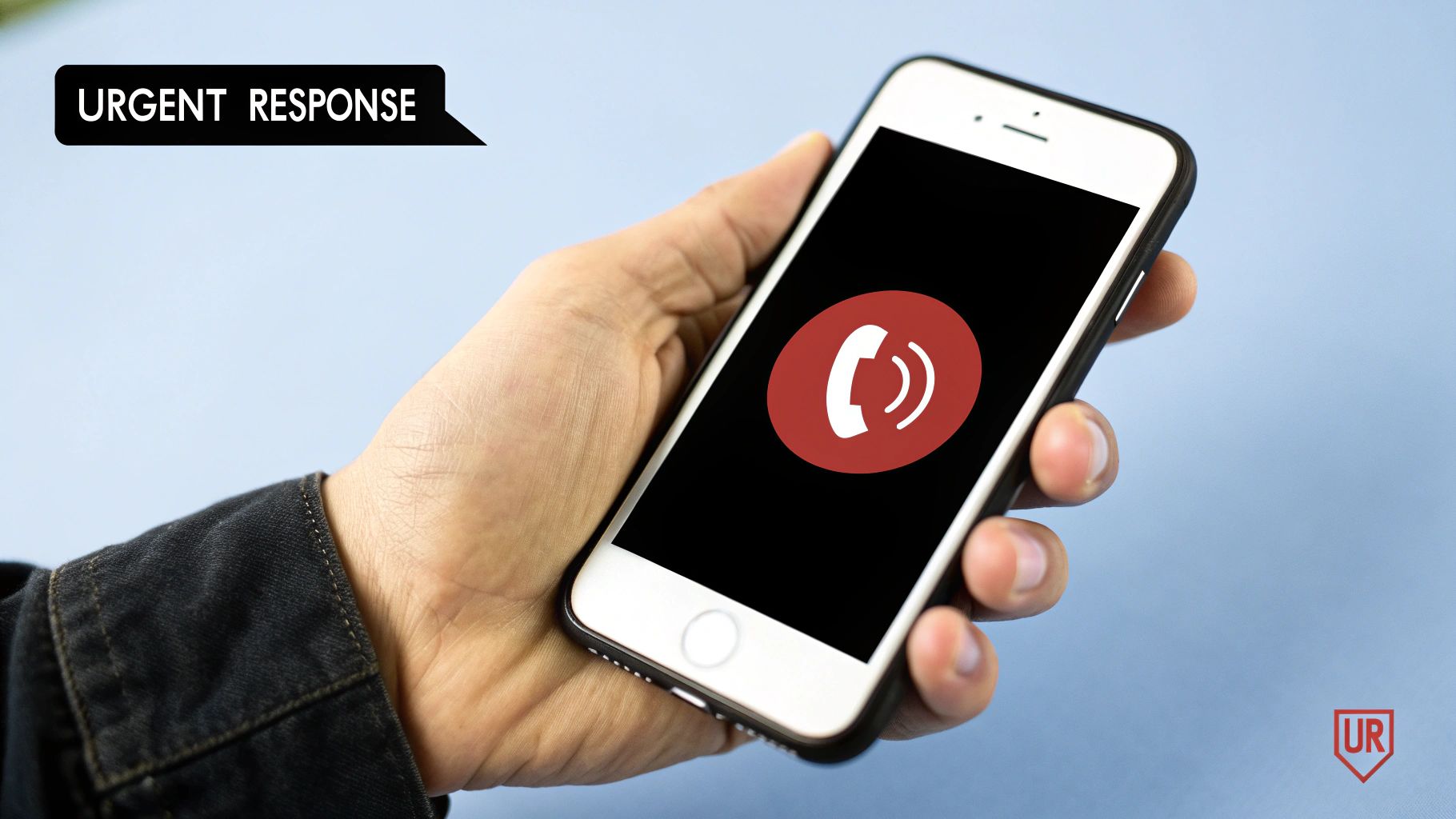
What truly sets the Smart3 apart are its integrated health and safety features. The dedicated Urgent Response button on the screen connects users directly to IAED-certified agents who can assess the situation, dispatch emergency services, and notify family members. This feature provides immense peace of mind for seniors living independently and their families. Furthermore, Lively offers services like Lively Link, which allows family members to check on the user's location and battery level, and Lively Rides, for arranging Lyft transportation without needing the separate app.
Why It Works for Seniors
The Jitterbug Smart3's strength lies in its combination of simplicity and powerful, optional safety services. Users aren't just getting a phone; they are getting a potential lifeline. The straightforward, list-based menu makes navigation intuitive, even for those with no prior smartphone experience. The inclusion of voice typing capabilities also simplifies sending texts and emails for seniors who may struggle with small on-screen keyboards.
To get the most out of it, families should set up the Lively Link app and medication reminders during the initial setup process. It's also wise to do a practice run of the Urgent Response button so the senior user understands exactly what happens when it's pressed. This preparation ensures the user is comfortable and confident with the device's most critical features from day one.
3. Apple iPhone SE (3rd Generation)
For the senior who is comfortable with modern technology or wants a full-featured smartphone experience, the Apple iPhone SE (3rd Generation) is an outstanding choice. It packs the power of Apple's advanced A15 Bionic chip into a familiar, compact 4.7-inch design that is easy to hold and operate. As one of the most capable unlocked phones for seniors, it provides access to the entire iOS ecosystem, from the App Store to iMessage and FaceTime, without being tied to a specific carrier. Its classic design, including a physical Home button with Touch ID, is often preferred by those transitioning from older iPhone models.
This device bridges the gap between simplicity and capability. While offering a powerful user experience, it includes robust accessibility features designed to assist users with varying needs. For example, tech-savvy seniors often use the Health app for detailed medication tracking and monitoring activity levels. At the same time, its renowned FaceTime video calling feature has become a primary tool for grandparents to connect face-to-face with children and grandchildren, making it an integral part of modern family life.
Why It Works for Seniors
The iPhone SE's strength lies in its deep and customizable accessibility suite. Users can significantly increase text size, enable bold fonts, and use the "Zoom" feature to magnify the screen, making content easier to read. The "Spoken Content" feature can read text aloud, from web pages to emails. Furthermore, Siri voice commands allow for hands-free operation, enabling users to make calls, send texts, set reminders, and get information simply by speaking.
To get the most out of it, a family member or friend should help with the initial setup. This includes enabling key accessibility settings like larger text, setting up Medical ID and Emergency SOS with family contacts, and customizing the Control Center to provide one-tap access to frequently used tools like the flashlight, magnifier, and calculator.
4. Samsung Galaxy A14 5G
For seniors who desire the functionality of a modern smartphone without a high price tag, the Samsung Galaxy A14 5G is an excellent choice. It strikes a balance between advanced features and affordability, offering a large, vibrant 6.6-inch screen that makes text and images easy to see. As one of the most versatile unlocked phones for seniors, it can be paired with almost any carrier, giving users the freedom to choose a plan that fits their budget and usage needs. Its familiarity as a Samsung device also makes it less intimidating for those transitioning from an older smartphone.
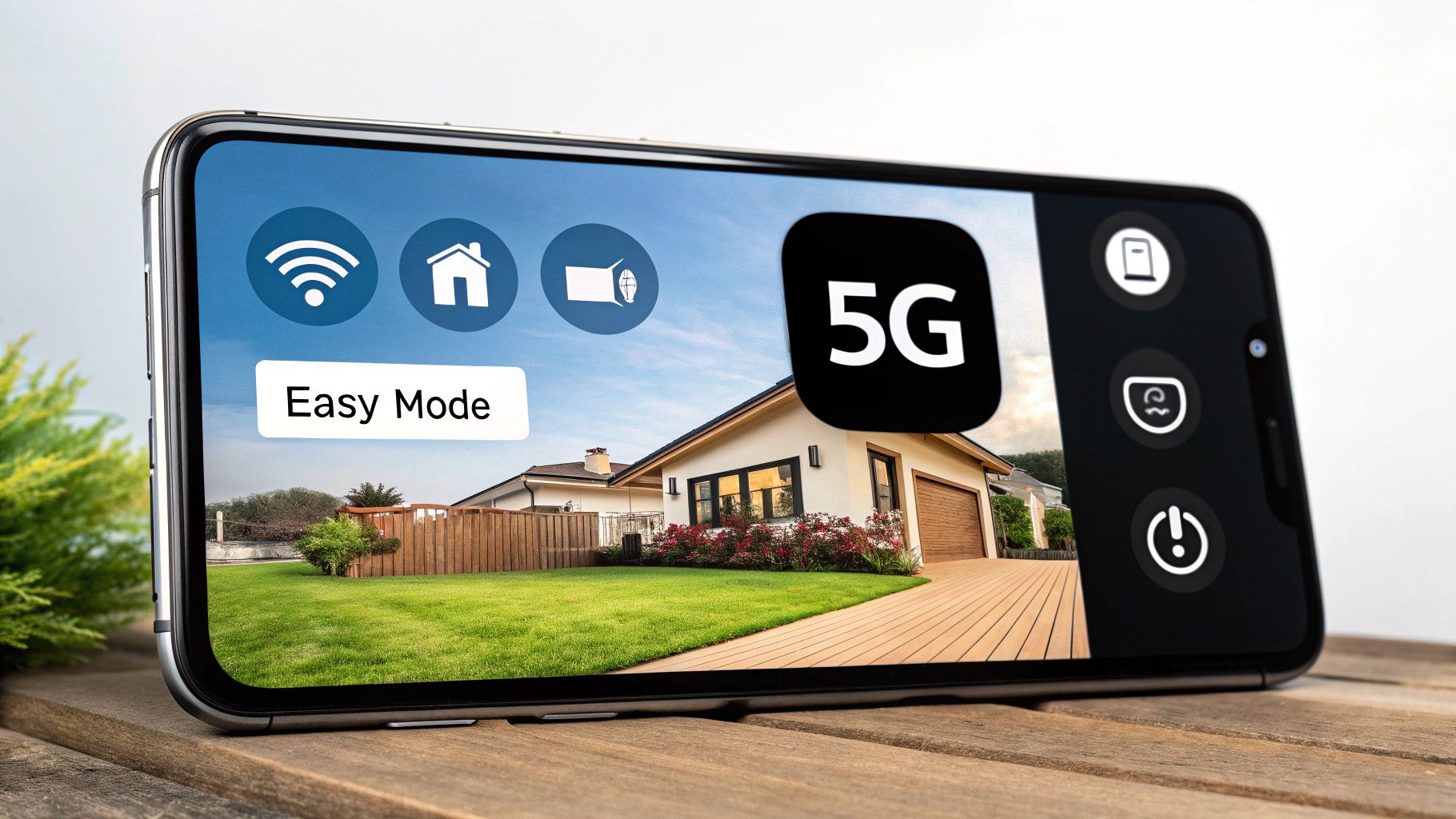
The device runs on Android with Samsung's One UI, which includes an "Easy Mode" specifically designed to simplify the user experience. This mode enlarges icons, increases font size, and streamlines the layout to present only the most essential apps and functions. This makes it an ideal option for families looking to provide an affordable, yet capable, smartphone to an elderly relative. For example, a senior can easily use its high-quality camera to take clear photos of their grandchildren and share them instantly, without being overwhelmed by complex settings.
Why It Works for Seniors
The true strength of the Galaxy A14 5G lies in its customization. Unlike purpose-built senior phones that have locked-down features, this device can be tailored to the individual's comfort level. The long-lasting battery also minimizes the need for daily charging, a common frustration point for many older adults. The inclusion of the Bixby voice assistant allows for hands-free operation, such as making calls, sending texts, or checking the weather with simple voice commands.
To get the most out of it, set up the phone before giving it to the senior. Immediately enable Easy Mode in the settings, increase the system font size, and remove or hide any unnecessary pre-installed apps from the home screen. This initial setup transforms a standard smartphone into a highly accessible and user-friendly communication tool.
5. Motorola Moto G Power (2023)
For seniors seeking a modern smartphone experience without a steep learning curve or constant recharging, the Motorola Moto G Power (2023) is a standout choice. Its main attraction is an exceptional battery life that can last up to three days on a single charge. This feature alone makes it one of the most practical unlocked phones for seniors, especially for those who might forget to plug their device in every night. It runs a clean version of Android, meaning there is less pre-installed bloatware and fewer confusing interface elements compared to other brands, making it more approachable for first-time smartphone users.
The unlocked nature of the Moto G Power gives users the freedom to choose any compatible carrier, allowing them to find the most affordable or suitable plan for their needs. This is perfect for active older adults who need a reliable device for navigation, communication, and emergency calls without worrying about the battery dying while they are out. Its large 6.5-inch display also provides ample screen real estate for viewing photos, reading text, and video calling with family.
Why It Works for Seniors
The Moto G Power’s combination of longevity and simplicity is its greatest asset for older users. The near-stock Android interface can be easily customized with larger fonts and icon sizes directly from the settings menu, significantly improving readability. Furthermore, the built-in Google Assistant allows for hands-free operation, enabling seniors to make calls, send texts, or ask for information using only their voice. This accessibility feature is invaluable for individuals with arthritis or limited manual dexterity.
To get the most out of it, family members can help set up the phone by increasing the display and font size in the accessibility settings. Installing a simplified launcher app from the Google Play Store, like "Big Launcher" or "Simple Launcher," can further streamline the user experience by replacing the standard grid of icons with large, easy-to-press buttons for core functions. This makes a powerful smartphone feel as simple as a basic feature phone.
6. TCL 30 SE
For seniors on a fixed income or those making their first foray into the smartphone world, the TCL 30 SE stands out as an ultra-budget-friendly option. It delivers the core Android experience without a hefty price tag, providing access to essential apps like Google Maps, web browsers, and social media. As one of the most affordable unlocked phones for seniors, it gives users the freedom to choose a low-cost prepaid or postpaid carrier that fits their budget, making it a practical choice for those transitioning from a basic flip phone.
The TCL 30 SE offers a large 6.52-inch display, which is beneficial for viewing text and images clearly. Its triple-camera system, while not flagship quality, is more than capable of capturing precious family moments. Because it runs a standard version of Android, it offers a familiar interface for those who may have used an Android tablet before and provides a gentle learning curve for complete beginners. This makes it an ideal emergency backup phone for an elderly family member or a primary device for anyone needing basic connectivity without financial strain.
Why It Works for Seniors
The primary advantage of the TCL 30 SE is its incredible value proposition. It makes modern smartphone technology accessible to everyone, regardless of budget. The device’s unlocked nature is a significant plus, allowing seniors to shop around for the most affordable mobile plans, such as those from MVNOs like Mint Mobile or Consumer Cellular, which often have special senior-focused packages. This combination of a low upfront cost and potential for long-term savings is its biggest draw.
To get the most out of it, users should take advantage of Android's built-in accessibility features to increase font and display size for better readability. It's also wise to keep the number of installed applications to a minimum to ensure smooth performance. Setting up a simplified home screen launcher from the Google Play Store can further reduce complexity, presenting only the most-used apps with large, clear icons.
7. Google Pixel 6a
For the more tech-savvy senior who wants a premium smartphone experience without the flagship price, the Google Pixel 6a is an exceptional choice. It brings Google's powerful software, industry-leading camera technology, and clean user interface to a more affordable package. As one of the best unlocked phones for seniors who appreciate photography and a pure Android experience, its main draw is the combination of Google’s Tensor chip and computational photography, which produces stunning photos with minimal effort. This makes it perfect for capturing high-quality memories of family, friends, and travel.
The Pixel 6a runs on stock Android, meaning it is free from the extra, often confusing, software that other manufacturers add. A key feature for seniors is the deeply integrated Google Assistant. Users can perform a wide range of tasks using just their voice, such as making calls, sending texts, setting reminders, or getting directions. This hands-free operation can be a significant accessibility benefit, especially for those with arthritis or limited dexterity.
Why It Works for Seniors
The Pixel 6a's strength lies in its powerful yet simple software features. Tools like Magic Eraser allow users to easily remove unwanted objects from photos, while Live Translate can help seniors communicate during international travel or with non-English speaking friends. Furthermore, Google guarantees several years of security and operating system updates, ensuring the phone remains safe and up-to-date without user intervention.
To get the most out of it, users should spend some time setting up Google Assistant voice commands for their most frequent actions. A family member can also use Google Family Link to offer remote assistance if needed, helping manage settings or troubleshoot problems from their own device.
Here's a quick reference summarizing the Google Pixel 6a's core specifications.
| Specification | Detail |
|---|---|
| Screen Size | 6.1 inches |
| Camera | 12.2MP Dual Pixel Main, 12MP Ultrawide, 8MP Front |
| Battery Life | Up to 24 hours (72 hours with Extreme Battery Saver) |
| Storage | 128 GB |
| Special Features | Google Tensor chip, Magic Eraser, Live Translate |
These specs highlight a device that balances a manageable size with powerful, senior-friendly software and a camera system that excels at capturing life’s moments beautifully.
8. Nokia G50 5G
For seniors seeking a modern smartphone experience without overwhelming complexity, the Nokia G50 5G strikes an excellent balance. Built on Nokia's legacy of durability, this device offers a large, bright screen and a clean version of Android. It provides a familiar smartphone feel but is robust enough to handle daily life, making it a great choice for active older adults or anyone who values reliability. As one of the more future-proof unlocked phones for seniors, it includes 5G connectivity, ensuring faster speeds as networks expand.
The phone runs on Android One, a stock version of the Android operating system that is free from the extra, often confusing, software that many manufacturers install. This results in a straightforward user interface that's easier to navigate. The G50 also benefits from Nokia's commitment to regular security updates and major OS upgrades, meaning the phone stays secure and current for years. This is a key advantage for seniors who want a device they can depend on without needing to buy a new one frequently.
Why It Works for Seniors
The Nokia G50 5G’s impressive two-day battery life is a standout feature, reducing the anxiety of a dead phone for seniors who may forget to charge it every night. Its large 6.82-inch display makes text, photos, and videos easier to see, which is a significant plus for users with vision challenges. The combination of a durable build and a clean software experience provides peace of mind for both the user and their family.
To make the most of this phone, it's a good idea to immediately go into the display settings and increase the font and display size for maximum readability. During setup, Android's built-in accessibility features can be enabled to simplify navigation further. Keeping the number of installed apps to a minimum will also help maintain the phone's smooth and responsive performance over time.
Unlocked Phones for Seniors: Key Feature Comparison
| Device | Implementation Complexity 🔄 | Resource Requirements ⚡ | Expected Outcomes 📊 | Ideal Use Cases 💡 | Key Advantages ⭐ |
|---|---|---|---|---|---|
| GrandPad Tablet | Low – purpose-built UI for seniors | Moderate – includes monthly fee | High – enhanced family connectivity, easy use | Seniors needing simple communication and telehealth | Senior-focused design, easy setup, 24/7 support |
| Jitterbug Smart3 | Low – simplified Android smartphone | Moderate – device + monthly plans | High – emergency response and health support | Seniors needing emergency features and health apps | Strong emergency features, Verizon network |
| Apple iPhone SE (3rd Gen) | Medium – standard iPhone setup | High – upfront cost, no monthly required | Very High – fast, reliable, supports many apps | Tech-savvy seniors wanting premium iOS device | Premium build, accessibility, long support |
| Samsung Galaxy A14 5G | Medium – customizable Android UI | Moderate – affordable device price | High – large screen, long battery, 5G | Budget-conscious seniors wanting modern features | Large display, Easy Mode, good battery life |
| Motorola Moto G Power (2023) | Low – near-stock Android experience | Low – affordable pricing | Medium – exceptional battery, basic tasks | Seniors needing long battery and simple UI | Outstanding battery, clean UI, budget friendly |
| TCL 30 SE | Low – basic Android smartphone | Low – very affordable | Medium – basic smartphone functionality | Seniors transitioning from flip phones | Very affordable, large screen, unlocked |
| Google Pixel 6a | Medium – standard Android setup | Moderate – mid-range price | Very High – premium camera, long software support | Photography-loving seniors, Android purists | Best camera, long updates, clean Android |
| Nokia G50 5G | Medium – Android One experience | Moderate – affordable 5G device | High – durable, long battery, reliable | Seniors needing rugged phone with 5G | Durable build, large screen, 2-day battery life |
Making the Right Connection: Your Final Step to Mobile Freedom
Choosing the right unlocked phone is a significant step towards greater connectivity, independence, and savings. Throughout this guide, we've explored a range of excellent unlocked phones for seniors, from the ultra-simplified GrandPad and Jitterbug Smart3 to the powerful yet accessible Apple iPhone SE and Google Pixel 6a. We've seen how devices like the Samsung Galaxy A14 and Motorola Moto G Power offer incredible value and battery life, while the TCL 30 SE and Nokia G50 5G provide reliable performance without breaking the bank. The key takeaway is that you have more options than ever before, each designed to meet a specific set of needs, preferences, and budgets.
Your Path Forward: From Choice to Confidence
The freedom of an unlocked phone is about more than just the device itself; it’s about empowering you to control your mobile experience. By severing ties with a single carrier, you open the door to better pricing, more flexible plans, and the ability to switch providers whenever a better deal comes along. This control translates directly into monthly savings and a service that truly fits your lifestyle, not the other way around.
To move forward with confidence, here are your actionable next steps:
-
Revisit Your Priorities: Look back at your personal checklist. Was a large, bright screen your top priority? Or was it a simplified menu, a long-lasting battery, or access to specific apps like FaceTime or WhatsApp? Use this priority list to narrow down your choices from our list. For example, if simplicity is everything, the GrandPad or Jitterbug Smart3 are your best starting points. If you want a full-featured smartphone that's easy to learn, the iPhone SE is a fantastic option.
-
Check Carrier Compatibility: Before making a purchase, perform one final, crucial check. Identify the carriers with the best coverage in your area (like AT&T, T-Mobile, or Verizon) and visit their websites. They almost always have a "Bring Your Own Device" (BYOD) page with a tool to check compatibility. Simply enter the IMEI number of the phone model you’re considering to ensure it will work flawlessly on their network.
-
Explore Accessibility Settings: Once you have your new phone, your first task should be to dive into the settings menu and find the "Accessibility" section. This is where you can truly tailor the device to your needs. Enlarge the text size, increase screen contrast, enable a screen reader, or simplify the home screen layout. Spending just 20 minutes here can transform a standard smartphone into a perfectly customized tool that feels like it was made just for you.
Mastering this process isn't just about buying a new gadget. It’s about embracing technology on your own terms. It’s the confidence of knowing you’re not overpaying for your cell service and the peace of mind that comes from having a reliable device to connect with family, access important services, and explore new interests. Your ideal unlocked phone is out there, waiting to connect you to the people and passions that matter most.
Now that you've selected the perfect unlocked phone and carrier, ensure you can stay connected everywhere, especially when you need it most. Many seniors rely on public transportation, and having consistent internet access is crucial for safety and communication. The transitwirelesswifi service provides reliable, high-speed Wi-Fi on public transit systems, ensuring your new device works seamlessly during your commute. Visit transitwirelesswifi to see how you can stay connected on the go.