

We’ve all been there: a critical call drops, or a webpage takes an eternity to load. It's beyond frustrating. But before you start looking up new phone plans or blaming your carrier, there are a few simple tricks you can try right now that often work wonders.
I like to call these the "first-aid" fixes for a bad signal. They’re surprisingly effective and don't cost a thing.
Quick Fixes for a Better Phone Signal Right Now
Think of your phone as being stuck in a conversation with a distant cell tower when a closer, stronger one is just around the corner. Sometimes, it just needs a little nudge to make the switch. That's where these easy solutions come in.
Force a Fresh Connection
Your phone's connection to the cellular network can sometimes get "stale." The quickest way to refresh it is by toggling Airplane Mode. Just turn it on for about 10 seconds, then turn it off. This forces your phone to completely disconnect and then hunt for the strongest signal available when it reconnects. It’s like telling your phone, "Hey, take a fresh look around."
If that doesn't do the trick, a full restart is your next best bet. Rebooting your phone clears out temporary software glitches and memory leaks that could be messing with your phone's modem.
Pro Tip: I've also had luck with manually selecting the network operator. Dive into your phone’s network settings and pick your carrier from the list. This stops your phone from stubbornly clinging to a weak signal from a partner network, which can happen when you're on the move.
Keep Your System Updated
Don't ignore those software update notifications! I know they can be a pain, but they often contain critical updates to your phone’s modem firmware. This is the software that literally controls how your phone talks to cell towers. Phone manufacturers and carriers are always tweaking this for better performance, so running an outdated system could easily be the root of your signal woes.
This chart breaks down a simple way to think about troubleshooting your connection.
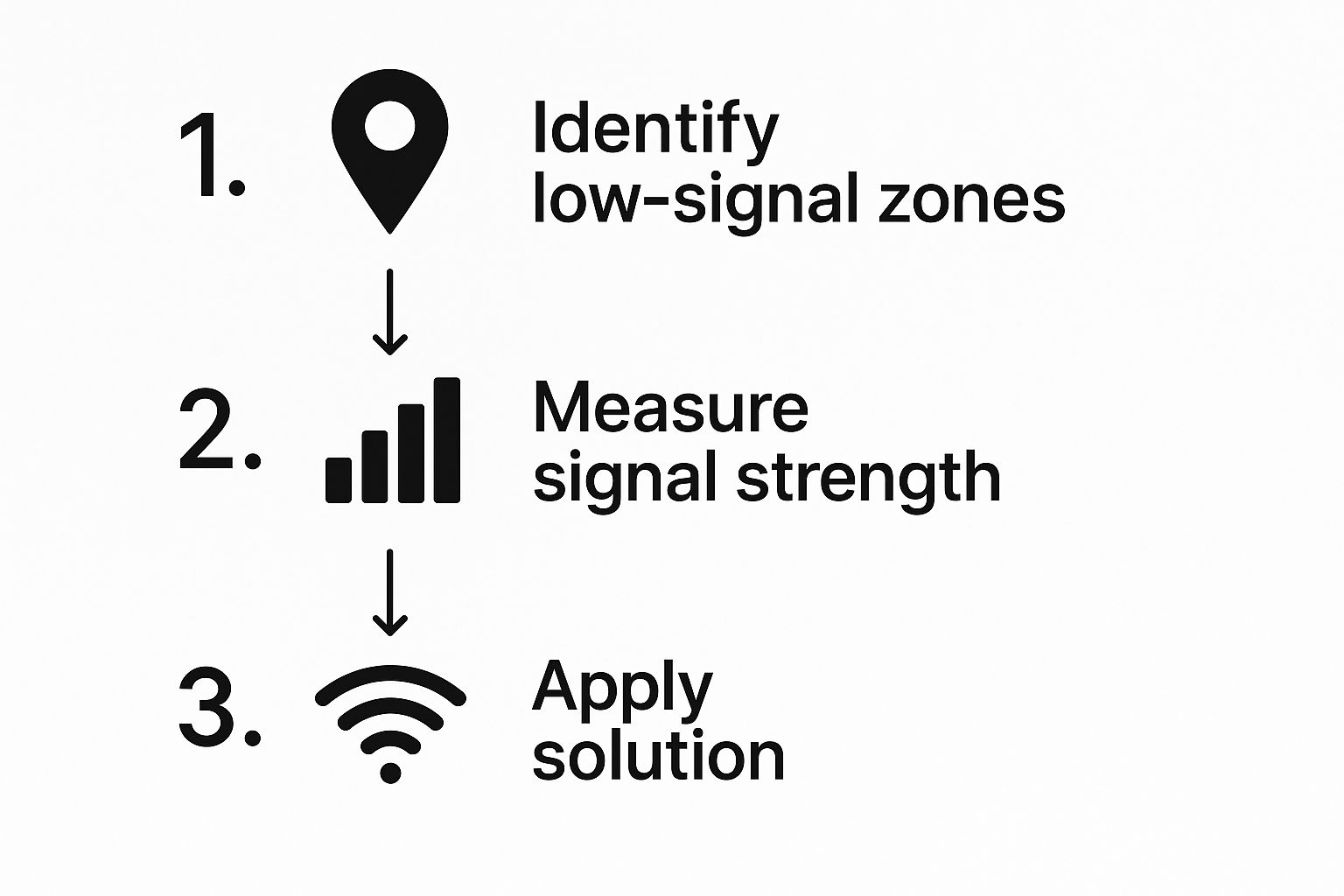
As you can see, taking a systematic approach—from identifying the problem to trying a specific fix—is the most reliable path to a better signal.
For a quick reference, I've put together a simple checklist of these immediate actions.
Instant Signal Improvement Checklist
This table summarizes the quick actions you can take right now to troubleshoot and potentially boost your phone's signal.
| Action | Why It Works | Best For |
|---|---|---|
| Toggle Airplane Mode | Forces the phone to drop its current connection and find the strongest available tower. | A quick, non-disruptive reset when your signal suddenly weakens. |
| Restart Your Phone | Clears temporary software glitches, memory issues, and resets the modem completely. | When Airplane Mode toggle fails or the phone feels sluggish overall. |
| Update Phone Software | Installs the latest modem firmware, which can improve network communication. | Ongoing, persistent signal problems that aren't tied to a specific location. |
| Manually Select Carrier | Prevents the phone from connecting to a weaker, non-primary network tower. | When you're in an area with multiple carrier signals (like near an international border). |
Trying one or all of these steps takes just a few minutes and can often get you back up and running with a solid connection. It's always where I start before digging into more complex solutions.
What Is Actually Killing Your Cell Signal?
Ever wonder why you have full bars one minute and a dropped call the next? I've been there. Before you can figure out how to improve phone signal, you first need to pinpoint what's killing your connection. More often than not, the culprit is right in front of you—your immediate surroundings.
Cellular radio waves are powerful, but they're surprisingly fragile. They have a tough time pushing through common building materials that essentially act as a shield. Just think about your home or office; these structures are frequently the main reason your signal suddenly disappears.
Physical and Environmental Blockers
The materials standing between your phone and the nearest cell tower make a massive difference. Radio waves really don't like dense objects, and some of the worst offenders might be things you'd never suspect.
- Concrete and Brick: These are notorious for soaking up and weakening cellular signals. If your walls are made of this stuff, you're already at a disadvantage.
- Metal Roofs: A metal roof is like a giant umbrella reflecting signals away from your phone, making it almost impossible for a good connection to get inside.
- Low-E Glass: Those energy-efficient windows are great for your utility bills, but the thin metallic coating on them can seriously disrupt cellular frequencies.
It's not just your building, either. The natural landscape plays a huge role. Living in a valley, being surrounded by dense forests, or simply being miles away from the nearest cell tower all contribute to spotty reception. If you're curious about your connection speed right now, you can check out this useful guide for running a mobile speed test.
Another huge factor is something we've all experienced: network congestion. Picture yourself at a packed concert or sporting event where everyone is trying to use their phone. The local cell tower gets completely overwhelmed. Even if you show full bars, your data slows to a crawl because there just isn't enough bandwidth to go around.
This problem is only getting bigger as our data appetite explodes. Global mobile network traffic shot up by 19% in just one year, hitting a staggering 172 exabytes per month in early 2025. That's all thanks to over seven billion smartphone users. You can read more about these mobile traffic trends on Ericsson.com.
Once you understand these root causes, it becomes much easier to diagnose your own signal issues and find the right solution.
Finding a Better Signal Without Buying New Gear
Before you start shelling out cash for new gadgets, you should know that some of the most effective ways to improve your phone signal are completely free. It often just comes down to making a few smart adjustments to where you are and how you're using your phone.
Think about your physical location for a moment. Cellular signals really struggle to get through dense building materials like concrete and metal. The simplest fix? Just move. I've personally found that shifting just a few feet toward a window can make a night-and-day difference, giving those radio waves a much clearer shot at your device.
If you happen to be in a multi-story building, another trick is to go up. Getting to a higher floor can lift your phone above a lot of the surrounding clutter and obstructions, giving it a better line of sight to the nearest cell tower.
Rethink Your Phone's Accessories
One of the most surprising signal blockers might be in your hand right now: your phone case. While those super-rugged, heavy-duty cases are fantastic for protection, their thick materials—especially any with metal in them—can seriously interfere with your phone’s internal antenna.
I once helped a friend who was constantly complaining about dropped calls. On a hunch, I had him take off his bulky, metal-reinforced case. His signal immediately jumped by two bars. It’s a simple test that costs you nothing and can instantly reveal a hidden problem.
If you see a noticeable improvement after taking the case off, it’s probably time to switch to a slimmer one made of plastic or silicone.
Use Wi-Fi to Your Advantage
Maybe the most powerful tool you have for beating bad reception is one you already have access to: Wi-Fi Calling. This feature is an absolute lifesaver in places with spotty or even non-existent cell service.
When you turn it on, your phone routes all your calls and texts through your Wi-Fi network instead of the cellular one. This means you can make perfectly clear calls even when your phone shows zero bars.
Getting it set up is easy:
- For iPhone: Head to Settings > Phone > Wi-Fi Calling and just toggle it on.
- For Android: Go to Settings > Network & Internet > Calls & SMS, and find the Wi-Fi Calling option.
Honestly, activating this is one of the best things you can do to guarantee reliable communication at home, letting you completely sidestep the weak cell signal issue.
Using Technology to Permanently Boost Your Signal
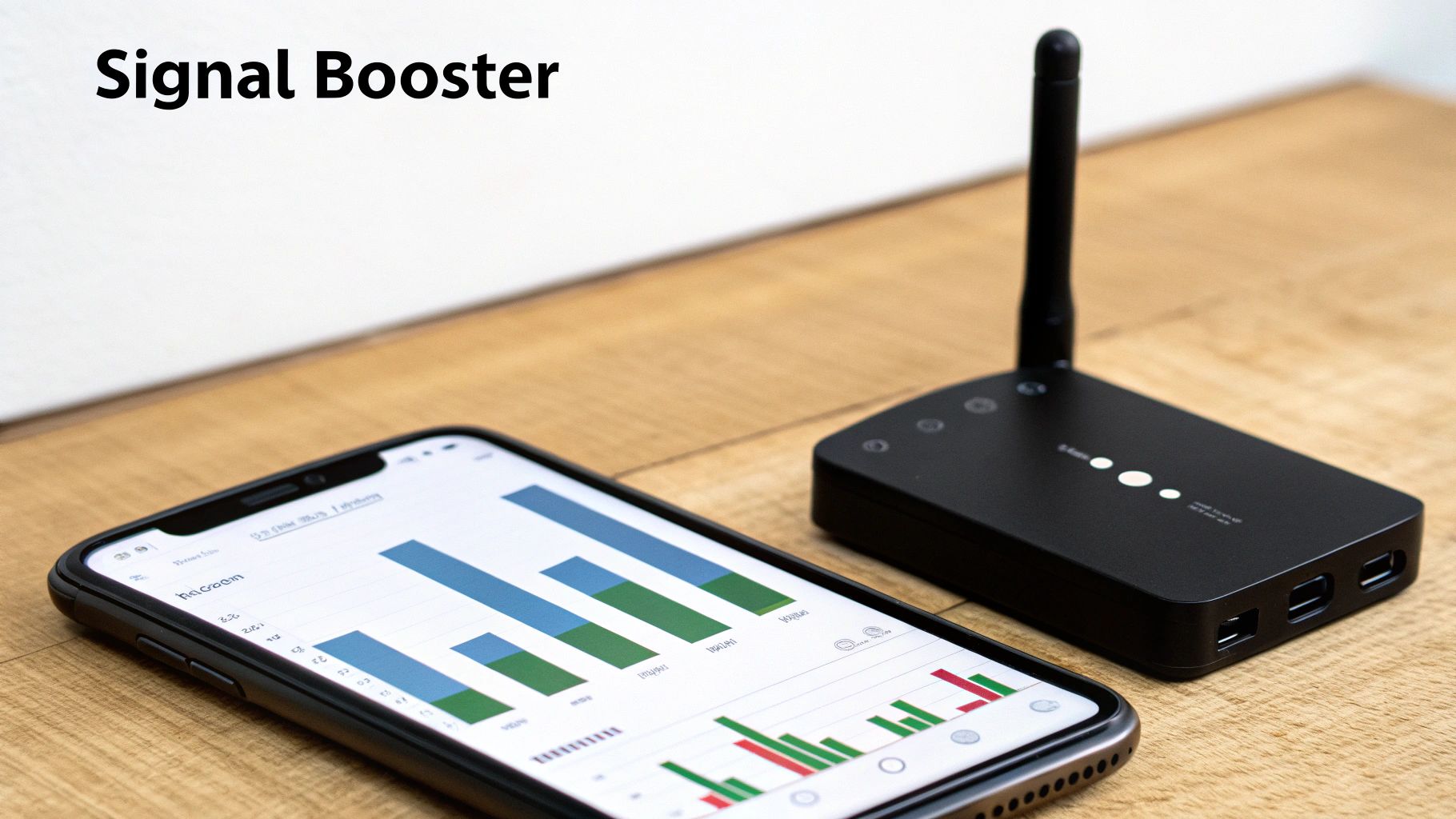
So, you've tried all the free tricks and your signal is still letting you down. I get it. When weak reception is a constant headache in your home, office, or vehicle, it’s time to bring in the heavy hitters: a permanent hardware solution.
The most common and, in my experience, effective option is a cell phone signal booster, sometimes called a repeater. Think of it as a powerful megaphone for your cell signal. It’s a clever three-part system designed to grab, amplify, and spread a stronger signal.
- An outdoor antenna is placed where it can capture the best possible signal, even if it's faint.
- An amplifier then takes that weak signal and gives it a major power-up.
- Finally, an indoor antenna rebroadcasts this newly strengthened signal throughout your space.
The result is a reliable bubble of strong service, which can dramatically improve everything from call quality to data speeds. This is an absolute game-changer for homes in rural areas or buildings made with signal-killing materials like concrete and metal.
Choosing the Right Tech Solution
But a signal booster isn't your only option. You might have heard about another device from your carrier called a femtocell (or microcell). It's crucial to understand the difference before you pull out your wallet.
A femtocell is basically a tiny, low-power cell tower for your house. But here’s the catch: you have to plug it into your home internet connection. Instead of boosting an existing cellular signal from outside, it creates a brand new one using your broadband.
Here's the key distinction: A signal booster works with an existing cell signal, no matter how weak, while a femtocell is completely dependent on your home internet. If your Wi-Fi is slow or unreliable, a femtocell will be, too.
So, which one is for you? Boosters are great because they are carrier-agnostic, meaning they amplify the signal for all major providers at the same time. Femtocells, on the other hand, are carrier-specific and you'll need to register them with your provider. If you're looking for more technical details, you might be interested in understanding 5G APN settings.
As networks get more advanced, the need for solid indoor coverage is only growing. Globally, 60 operators now offer commercial 5G standalone networks, and that number will keep climbing as 5G adoption is expected to shoot past 80% in leading markets by 2030. This push requires infrastructure that can keep signals strong, especially inside buildings where we spend most of our time. You can discover more insights about these mobile economy trends on gsma.com.
When Your Carrier Is the Problem, Not Your Phone
You’ve tried every trick in the book. You’ve moved around the house, restarted your phone a dozen times, and maybe even stood on a chair in the corner of your room. But what if the problem isn’t your phone or even your home, but the very company you pay every month for service?
It's a frustrating thought, but sometimes your mobile carrier is the real weak link. Before you jump ship, though, you need some solid evidence that another provider can actually improve your phone signal.
A great place to start is with independent, crowd-sourced coverage maps. Don't just take your carrier's word for it with their overly optimistic maps. Tools like OpenSignal give you a much more realistic picture of network performance because they pull data from millions of real users.
These maps show you exactly which carrier has the strongest, most reliable service right where you live, work, and commute.
Is It Time to Make the Switch?
Here’s another simple but incredibly effective tactic: the "friend test." The next time friends or family who use a different carrier come over, ask them to check their signal.
If their phone consistently shows more bars and has faster data speeds in the exact same spots where yours struggles, that’s a pretty compelling reason to think about switching. It's a real-world, side-by-side comparison you can't argue with.
Making the change might feel like a hassle, but it could be the ultimate fix for your signal woes. Weigh the pros and cons, including juicy new customer deals versus the potential headache of porting your number. It's also a good idea to understand the difference between plan types; check out this comparison of prepaid vs. postpaid options.
Global network benchmarks show a massive focus on user experience. The Q1 2025 Global Network Excellence Index highlights how countries like Finland and South Korea lead in mobile quality thanks to huge network improvements. This global push for better service means a competing carrier might just offer a far superior experience. You can learn more about these network quality findings on opensignal.com.
Common Questions About Boosting Your Phone Signal
When you're trying to wrestle a better signal out of your phone, a lot of the same questions tend to pop up. Let's clear the air and tackle some of the most common ones I hear all the time. Getting these straight can really help you focus your efforts.
Does a Full Bar Signal Guarantee Fast Data Speeds?
Not a chance. This is probably the biggest misconception out there. Your phone’s signal bars are only telling you one thing: how strong your connection is to the nearest cell tower. That’s it.
You can have a perfect, five-bar connection to a tower that’s completely overloaded with other users. The result? Painfully slow data. It’s like having a wide-open on-ramp to a highway that’s a total parking lot because of network congestion.
Can My Phone Case Really Affect My Signal?
Yes, absolutely. It sounds minor, but it can make a real difference. Your phone’s antennas are built right into its frame, and some cases, especially the super-rugged or fancy ones with metal or magnets, can physically block or interfere with the radio waves.
I’ve personally seen a phone jump up one or even two bars just by taking off a bulky case.
Here's a quick test you can do yourself: If you're in a spot with weak signal, pop your phone out of its case. If you see the bars flicker and improve, that's your answer. A slimmer case made from a simple material like plastic or silicone could be a surprisingly effective fix.
Is a Signal Booster the Same as a Femtocell?
Nope, they're two different tools for the same problem, and they work in completely different ways.
- A signal booster is like a megaphone for your cell signal. It uses a large antenna to grab a weak existing signal from outside, amplifies it, and then rebroadcasts that stronger signal inside your home or vehicle. It needs some signal to work with, even if it's just one bar.
- A femtocell, sometimes called a "network extender," is basically a mini cell tower for your house. It plugs directly into your home internet (like your router) and creates a brand-new, localized cell signal.
The key difference is that boosters amplify any carrier's signal, while femtocells are carrier-specific and rely on your broadband connection to function.
Will 5G Automatically Fix My Signal Problems?
Not necessarily. While 5G is capable of incredible speeds, the technology has its own quirks. The higher-frequency waves that deliver those blazing-fast speeds have a much shorter range and have a harder time penetrating walls, windows, and other obstacles compared to 4G LTE.
So, you might find yourself in a situation where you get mind-blowing 5G speeds outside, but the moment you step indoors, your phone drops back to a more reliable (but slower) 4G signal. It’s a trade-off between speed and reach.
At transitwirelesswifi, we believe everyone deserves a reliable connection. Our expert-backed guides and reviews help you navigate everything from APN settings to government-free phone plans, ensuring you stay connected without breaking the bank. Discover more at https://transitwirelesswifi.com.